
Native Ollama local model support
Connect to your locally running Ollama — Llama 3, Qwen, DeepSeek and other open models — with one click, and drive the desktop pet with smooth, fully offline conversations.
In the era of cloud AI, many people worry about how their chat logs, personal details and work data get uploaded. CharaBuddy ships a completely free local privacy mode that depends on no cloud API at all — all of your data stays on your own device.
Windows 10+ / macOS 13+ / Ubuntu 22.04+ · Core features free forever
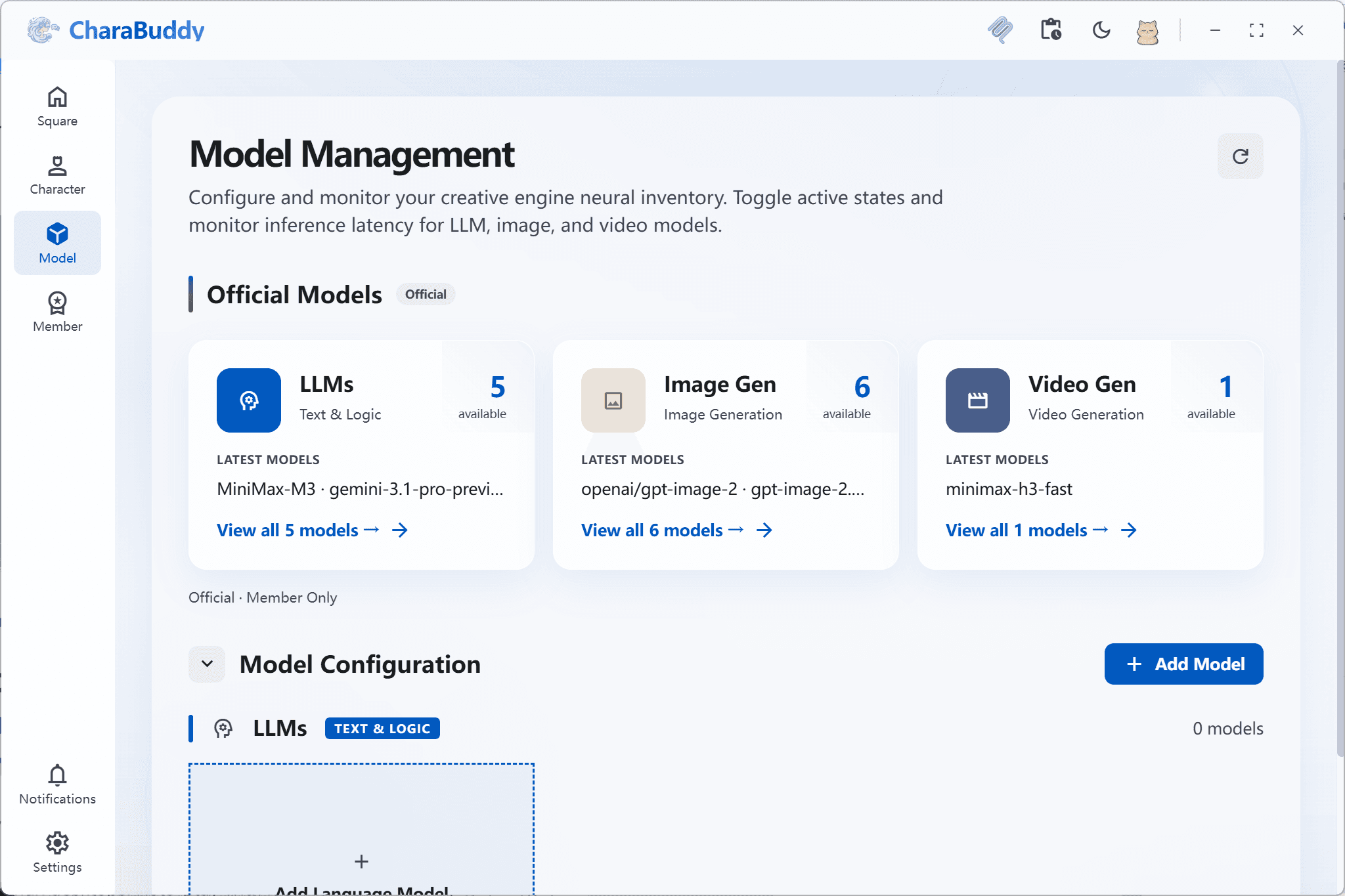
In short: CharaBuddy is an offline AI desktop pet with native Ollama support — every conversation stays on your machine, with zero upload and zero subscription cost.
In the era of cloud AI, many users are concerned about uploading daily chat logs, personal privacy and work data. CharaBuddy sticks to a privacy-first principle and offers a completely free local privacy mode that relies on no cloud API. Connect to a locally running Ollama with a single click and your pet keeps chatting fully offline, while every chat record, personal prompt and behaviour trace is stored on your own device with no third-party transmission path at all.
Connect to your locally running Ollama — Llama 3, Qwen, DeepSeek and other open models — with one click, and drive the desktop pet with smooth, fully offline conversations.
All chat records, personal prompts and behaviour data are stored locally, cutting every third-party server transmission path for physical-level privacy protection.
No need to buy expensive API credits. As long as your computer can handle it, you get unlimited, latency-free AI companionship for free.
Prompts, conversation history and generated results are written to a local storage directory. CharaBuddy never sends any of it to a third-party server.
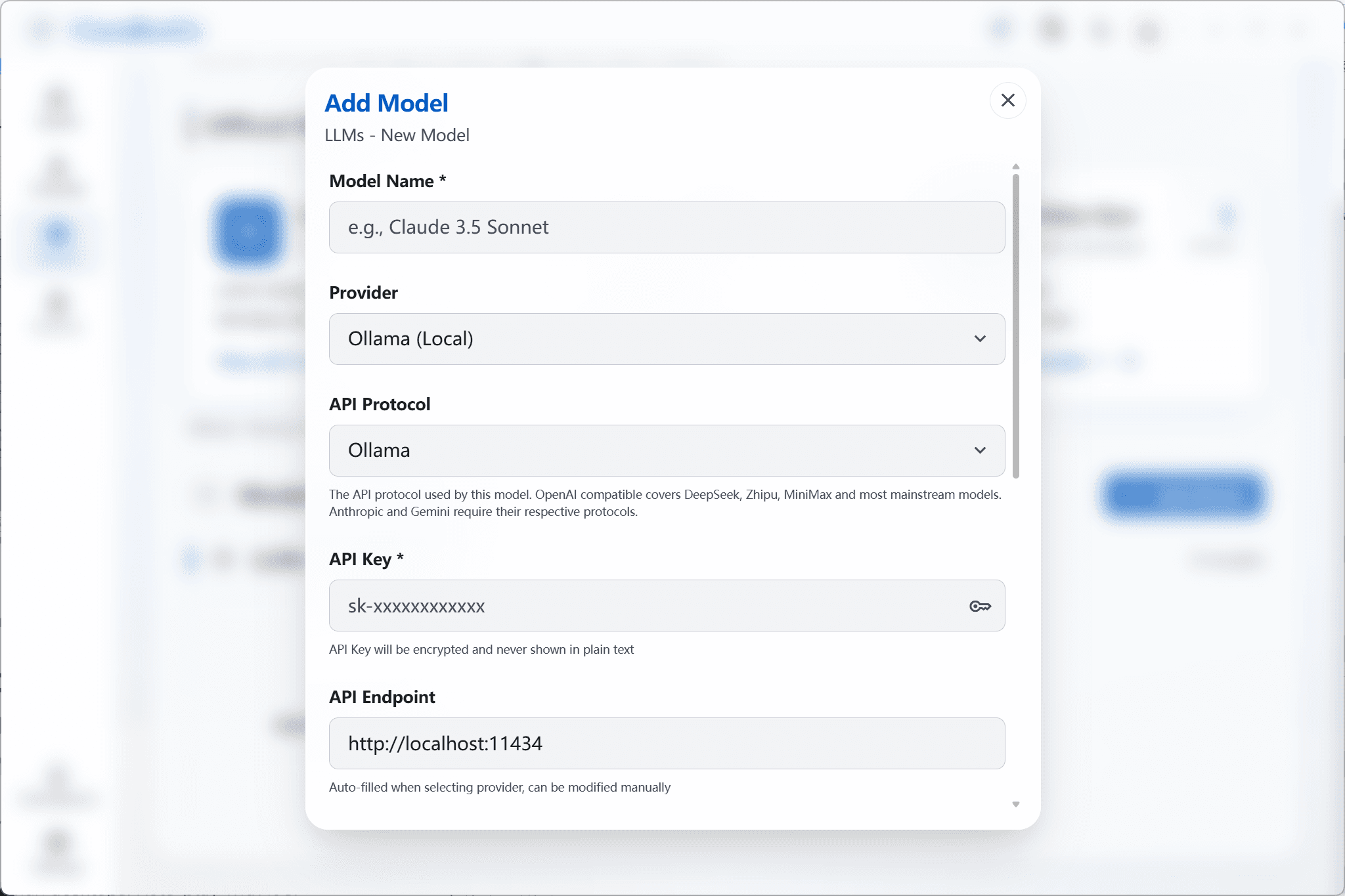
As long as the Ollama service runs locally, the pet can still chat and roleplay even with the network completely disconnected.
You do not want any conversation content leaving your device and need physical-level data isolation.
You already run Ollama, LM Studio or another open model locally, and want your idle GPU to be useful during everyday work.
You need a desktop pet assistant in a confidential or intranet environment where nothing may be sent to the public internet.
Install and configure Ollama on your computer (Windows / macOS / Linux are supported), then pull an open model you like, such as Llama 3, Qwen or DeepSeek.
Open the model connection page in CharaBuddy settings, choose "Local model", enter the Ollama service address (http://localhost:11434 by default) and test the connection.
With offline mode enabled, you can keep talking to your pet even with the network disconnected, and all conversation data always stays on your machine.
Yes. Local privacy mode is completely free: no subscription, no API credits to buy. The inference cost is covered by your own hardware.
It depends on the model size. Small parameter counts run smoothly on ordinary laptops; larger models benefit from a dedicated GPU. You can verify the whole flow with a small default Ollama model first and switch later.
Any service exposing an OpenAI-compatible chat interface can usually be plugged into CharaBuddy directly, including local inference servers such as LM Studio.
Yes. Cloud and local models can be switched at any time in settings. Local privacy mode simply moves inference back onto your machine when you need it, without affecting other features.
Local privacy mode is free forever — no subscription, no upload. CharaBuddy runs on Windows, macOS and Linux, ready to install.
A multi-style rendering engine plus free-form DIY building, so your own character can live on your desktop.
Explore this featureBuilt-in LLM and image generation, with MCP support for local files and external services.
Explore this feature