
Multi-style rendering engine
Perfectly adapts to anime, cyberpunk, chibi and realistic visual styles, so you are no longer limited to one look. The same pet can switch styles without being reconfigured from scratch.
Traditional desktop pets are limited to a handful of default animations or a single pixel-art style. CharaBuddy breaks that limit so your favorite original character, anime design or hand-drawn artwork can appear on your desktop exactly as you imagined.
Windows 10+ / macOS 13+ / Ubuntu 22.04+ · Core features free forever
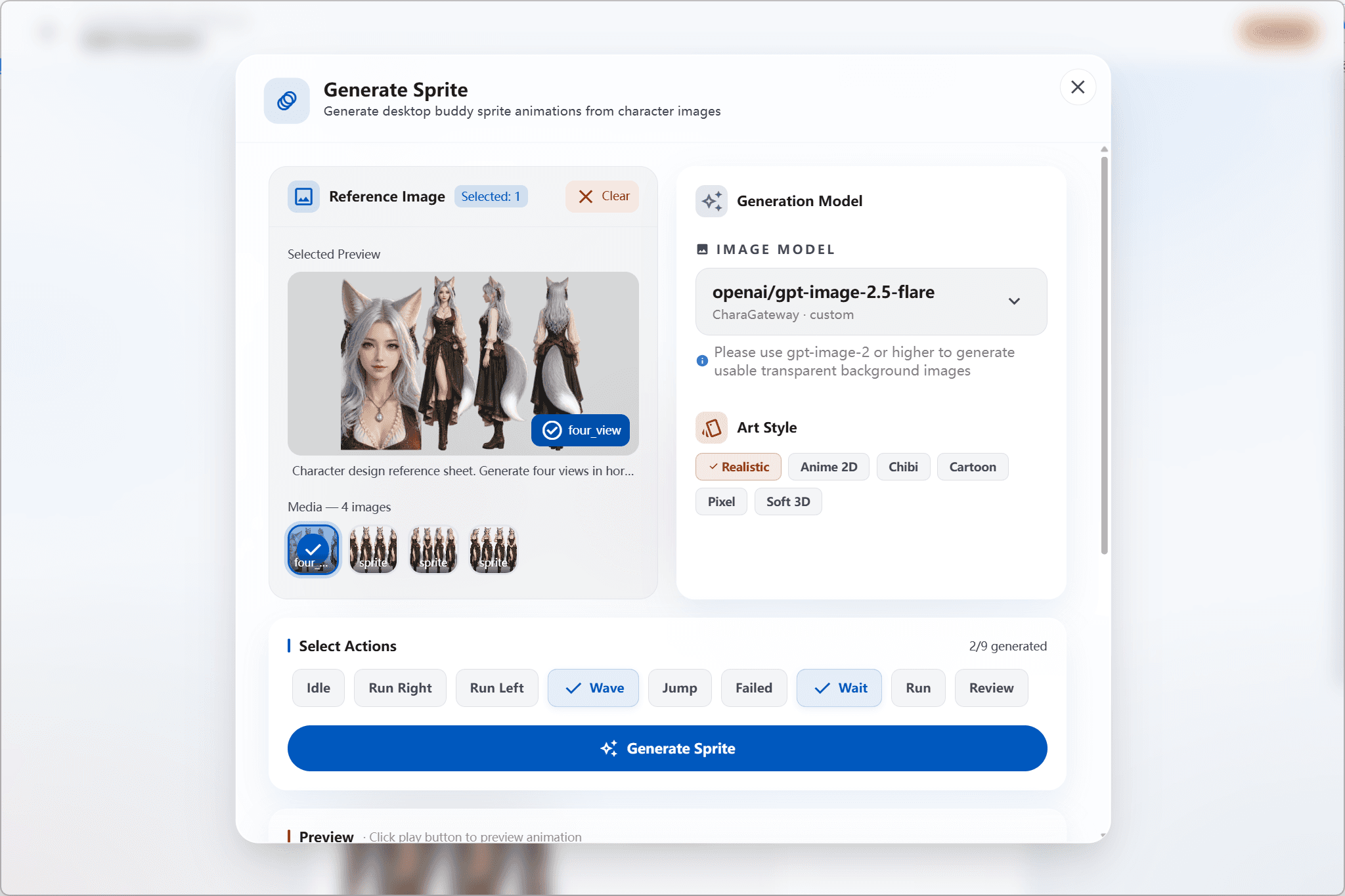
In short: CharaBuddy is AI desktop pet software with multi-style custom character avatars — import your own assets and let the character walk, climb and interact with you in animated form.
Traditional desktop pets such as classic Shimeji or many open-source tools ship with a fixed set of default animations or a single pixel-art look, which makes it hard to bring your own original character, anime design or custom artwork onto the desktop. CharaBuddy provides a deep custom avatar system: whether you prefer a hand-drawn illustration, a live Live2D model or a distinct 3D look, it can all be rendered perfectly on your desktop.
Perfectly adapts to anime, cyberpunk, chibi and realistic visual styles, so you are no longer limited to one look. The same pet can switch styles without being reconfigured from scratch.
Import custom animation frames, action states and expressive micro-reactions, so your original character freely walks, climbs and interacts along the edge of the screen — every frame under your control.
A lightweight rendering approach keeps memory usage extremely low, so the desktop pet stays smooth while you game, work or browse the web.
Image sequences, Live2D models and common static illustrations are all supported. After import, CharaBuddy organizes the assets and initializes the rendering parameters for you — no manual tuning.
Choose the frame range for walking, idle and click states, and assign distinct micro-expressions to different situations so your pet reacts closer to the personality you defined.
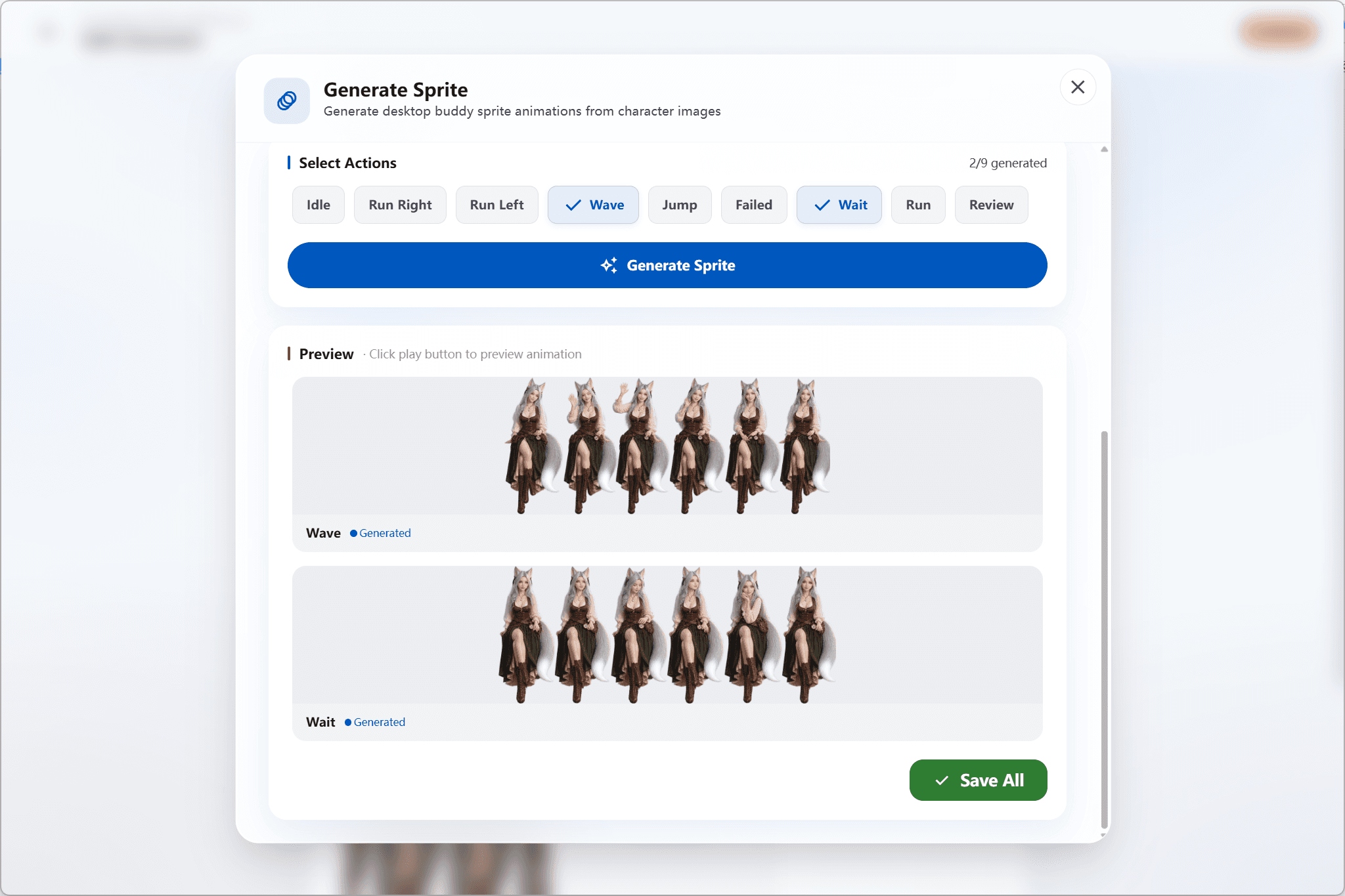
Turn your own character (OC) or the hero of your novel into a desktop companion you can see every day.
Build a one-of-a-kind immersive desktop look, turning every boot into something to look forward to.
Tired of the default look? Swap in a character that is entirely yours and make your desktop less repetitive.
Download the installer for your platform from the official site. Windows, macOS and Linux are supported, and core features are free forever.
In the character editor choose "Custom appearance", import your illustration or Live2D model, and CharaBuddy will generate a thumbnail preview automatically.
Click save and the character appears on the edge of your desktop. Drag it freely, enable launch on startup, and start chatting through the AI companion.
No. Custom character avatars are part of the core feature set and free forever. Paid tiers mainly affect cloud model quota, batch image generation and other add-ons.
Image sequences, Live2D models and common static illustration images are supported. Each format maps to a different animation behaviour, so it is worth checking the asset requirements before importing.
Not noticeably. CharaBuddy uses a lightweight rendering approach, and custom avatars keep the same low memory footprint, staying smooth during gaming, work or web browsing.
No. Character assets are stored in a local configuration folder, so you can re-import the original assets after reinstalling or migrating systems — your avatar data always stays under your control.
CharaBuddy runs on Windows, macOS and Linux. Core features are free forever, and full custom avatar support requires no subscription at all.
Built-in LLM and image generation, with MCP support for local files and external services.
Explore this featureNative support for Ollama and other local models, with every chat record kept on your own machine.
Explore this feature