
Dual drive: built-in LLM plus image generation
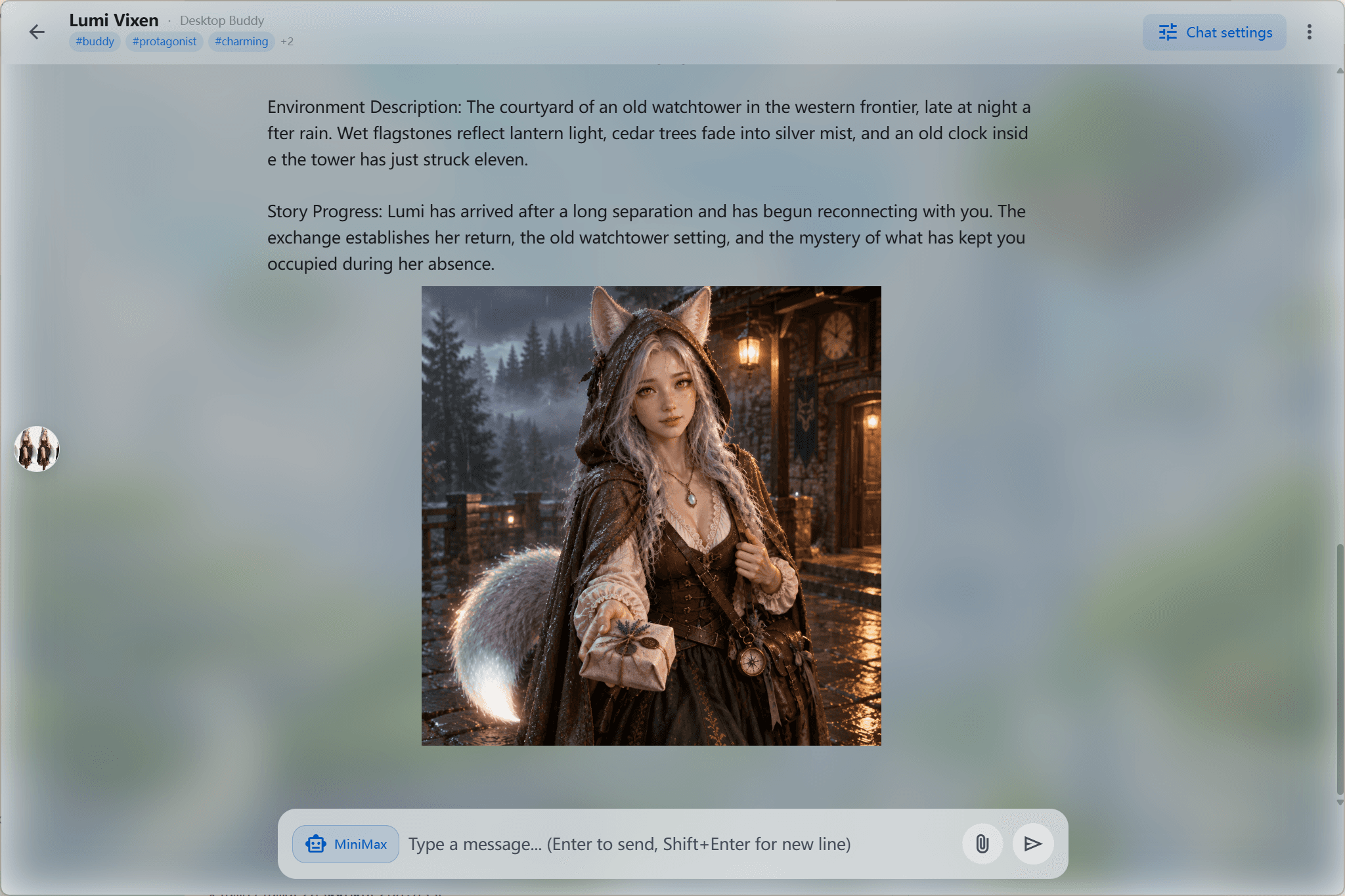
Chat is not just text: the pet can generate scene images or stickers in context while you talk, which makes every interaction far more alive.
Traditional desktop pets just walk around mechanically or repeat the same lines. CharaBuddy combines large language models with your desktop pet so it develops a real soul: it reads your mood, roleplays with you in depth, and can even generate visuals in real time.
Windows 10+ / macOS 13+ / Ubuntu 22.04+ · Core features free forever
In short: CharaBuddy is a desktop companion with AI roleplay and MCP protocol support — it can chat, generate images, and call local as well as external tools.
CharaBuddy combines large language models (LLM) with the desktop pet in depth — it is not a simple chat box but gives your pet a genuine soul. The pet understands your emotions, roleplays with you, and can even generate visuals for you in real time through the built-in image generation model. Thanks to the Model Context Protocol (MCP), it can also safely call local files, search the web or run external tools, upgrading it from a simple toy into a real intelligent desktop assistant.
Chat is not just text: the pet can generate scene images or stickers in context while you talk, which makes every interaction far more alive.
CharaBuddy adopts the Model Context Protocol, allowing the pet to safely and efficiently call local files, search the web or execute external tools — a real intelligent desktop assistant.
Whether tsundere, gentle or yandere, you can define the pet's world, backstory and speaking style to build the soulmate that truly understands you.
Write a character card for your pet: worldview, backstory, speech habits and boundaries. The setting stays effective over time, keeping the conversation style consistent.
Once MCP services are connected, the pet can read local files, retrieve web summaries or invoke the external tools you configured — answers with sources, actions with receipts.
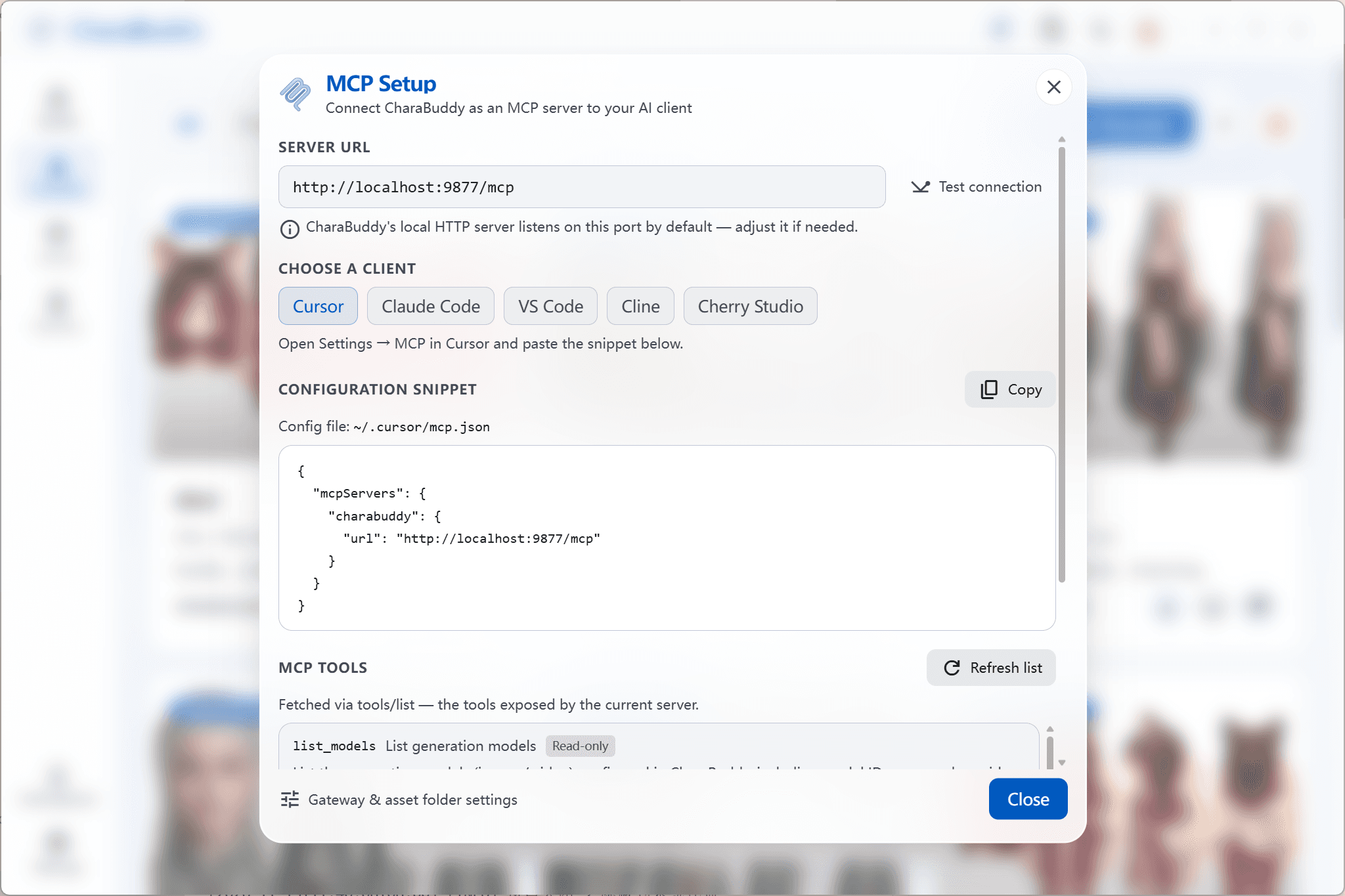
Image generation can be triggered right inside the conversation. Scene images and reaction images are archived automatically, so every interaction leaves a visual trace.
You want a high-intelligence, logical and personable AI companion, and you enjoy refining its persona in detail.
You need a desktop AI assistant that both keeps you company and helps with everyday tasks through extension capabilities.
Write settings and produce artwork for your own characters, and let your IP keep interacting with you from the desktop.
After installing CharaBuddy the pet appears on your desktop. Double-click it to open the conversation panel.
Fill in the worldview, backstory and speaking style in the character card. It takes effect immediately and gives your desktop pet a fixed personality.
Enter the MCP service address and credentials in settings, and the pet can safely call local files, web search and other external capabilities during conversations.
CharaBuddy implements the standard MCP client side, so it can connect to compatible local or remote MCP services, covering common scenarios such as file reading, web retrieval and custom tools.
It depends on the model connection you choose. With the built-in cloud models, requests are sent to the corresponding provider. If you want to stay fully offline, switch to local privacy mode (Ollama and other local models), where records and prompts never leave your machine.
Yes. The persona defined in the character card stays effective, so your pet keeps a consistent backstory and speaking style across later conversations.
It is included in the free quota. Higher-volume batch generation is an add-on service — check the pricing page for the details of each tier.
From roleplay to MCP tool calling, CharaBuddy turns the little buddy on your desktop into something that can actually get things done. Available for Windows, macOS and Linux.
A multi-style rendering engine plus free-form DIY building, so your own character can live on your desktop.
Explore this featureNative support for Ollama and other local models, with every chat record kept on your own machine.
Explore this feature